React Performance Optimization
I joined a large Canadian automotive company as one of three senior frontend engineers. The site was public-facing — a product catalog where users browsed vehicle models, configurations, and pricing. Built on Sitecore with React components on top.
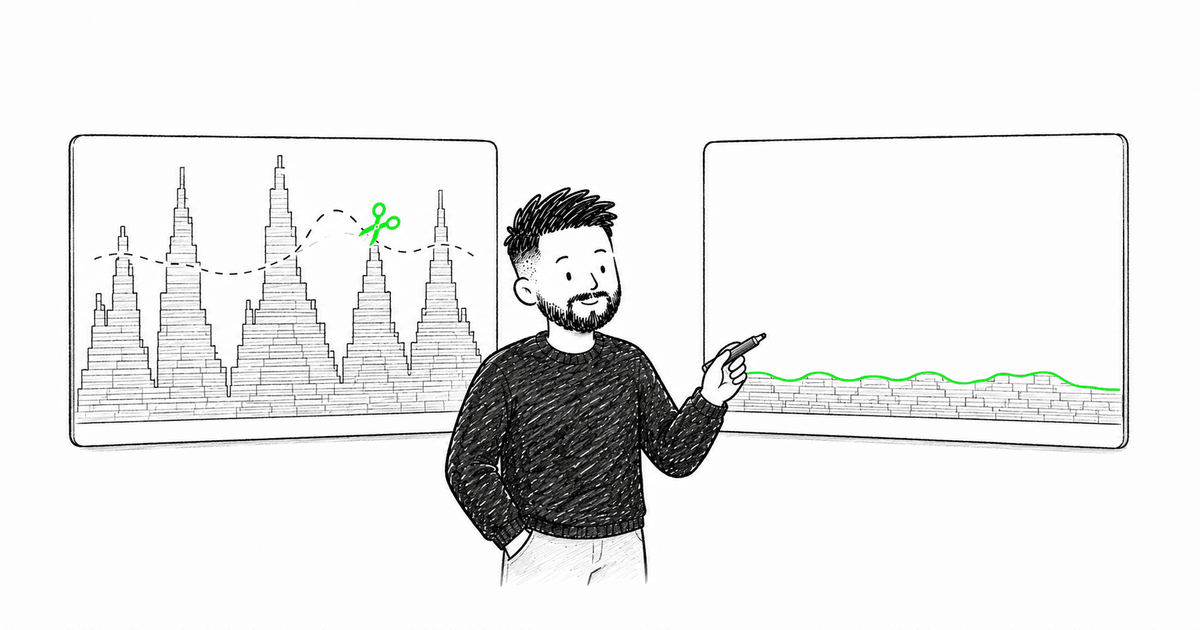
The first thing I noticed: the catalog page re-rendered on every interaction. Not just the part you touched — everything. The page pulled data from separate endpoints for vehicle types, models, specifications, and pricing. Every state change triggered a cascade of re-renders across all of them. It was the first time in my career I saw genuine, visible lag on a production public website — not some internal admin panel, but a site real customers used every day.
That became our first priority. We spent weeks profiling, restructuring data flow, and in some cases rewriting components from scratch because the original code was unsalvageable. The performance boost was dramatic and became our biggest early win with the team.
That experience taught me something I keep coming back to: performance isn't about premature optimization. It's about building systems that stay fast as they grow.
When to Optimize
Don't optimize everything. Optimize when:
- Users report slowness
- Metrics show issues (Core Web Vitals)
- Profiling reveals bottlenecks
- You're building data-heavy features
Measure first, optimize second.
Profiling Tools
Use the right tools:
- React DevTools Profiler - See component render times
- Chrome Performance - Analyze full page performance
- Web Vitals - Track real user metrics
- Lighthouse - Automated audits
Common Performance Issues
1. Unnecessary Re-renders
Problem: Component re-renders when props haven't changed.
// Bad: Creates new object every render
function Parent() {
  return <Child config={{ theme: "dark" }} />;
}

// Good: Stable reference
const CONFIG = { theme: "dark" };

function Parent() {
  return <Child config={CONFIG} />;
}

// Or use useMemo for dynamic values
function Parent() {
  const config = useMemo(() => ({ theme: "dark" }), []);
  return <Child config={config} />;
}
Use React.memo wisely:
const ExpensiveComponent = React.memo(({ data }) => {
  // Heavy rendering logic
  return <div>{/* ... */}</div>;
});
2. Large Lists Without Virtualization
Problem: Rendering 10,000 rows kills performance.
Solution: Use virtualization.
import { useVirtualizer } from "@tanstack/react-virtual";

function VirtualList({ items }) {
  const parentRef = useRef<HTMLDivElement>(null);

  const virtualizer = useVirtualizer({
    count: items.length,
    getScrollElement: () => parentRef.current,
    estimateSize: () => 50,
  });

  return (
    <div ref={parentRef} style={{ height: "500px", overflow: "auto" }}>
      <div
        style={{
          height: `${virtualizer.getTotalSize()}px`,
          position: "relative",
        }}
      >
        {virtualizer.getVirtualItems().map((virtualRow) => (
          <div
            key={virtualRow.index}
            style={{
              position: "absolute",
              top: 0,
              left: 0,
              width: "100%",
              height: `${virtualRow.size}px`,
              transform: `translateY(${virtualRow.start}px)`,
            }}
          >
            {items[virtualRow.index].name}
          </div>
        ))}
      </div>
    </div>
  );
}
Only renders visible items. Huge performance win.
3. Heavy Computations in Render
Problem: Expensive calculations on every render.
// Bad: Recalculates every render
function DataTable({ data }) {
  const sorted = data.sort((a, b) => a.value - b.value);
  const filtered = sorted.filter(item => item.active);

  return <Table data={filtered} />;
}

// Good: Memoized
function DataTable({ data }) {
  const processed = useMemo(() => {
    const sorted = [...data].sort((a, b) => a.value - b.value);
    return sorted.filter(item => item.active);
  }, [data]);

  return <Table data={processed} />;
}
4. Inline Functions as Props
Problem: New function every render = child re-renders.
// Bad
function Parent() {
  return (
    <Child onClick={() => console.log("clicked")} />
  );
}

// Good
function Parent() {
  const handleClick = useCallback(() => {
    console.log("clicked");
  }, []);

  return <Child onClick={handleClick} />;
}
5. Context Provider Re-renders
Problem: Context value changes = all consumers re-render.
// Bad: New object every render
function ThemeProvider({ children }) {
  const [theme, setTheme] = useState("light");

  return (
    <ThemeContext.Provider value={{ theme, setTheme }}>
      {children}
    </ThemeContext.Provider>
  );
}

// Good: Memoized value
function ThemeProvider({ children }) {
  const [theme, setTheme] = useState("light");

  const value = useMemo(() => ({ theme, setTheme }), [theme]);

  return (
    <ThemeContext.Provider value={value}>
      {children}
    </ThemeContext.Provider>
  );
}
Code Splitting
Load code only when needed:
import { lazy, Suspense } from "react";

const Dashboard = lazy(() => import("./Dashboard"));
const Settings = lazy(() => import("./Settings"));

function App() {
  return (
    <Suspense fallback={<Loading />}>
      <Routes>
        <Route path="/dashboard" element={<Dashboard />} />
        <Route path="/settings" element={<Settings />} />
      </Routes>
    </Suspense>
  );
}
Image Optimization
Images are usually the biggest assets:
// Use modern formats
<img
  src="hero.webp"
  srcSet="hero-sm.webp 400w, hero-md.webp 800w, hero-lg.webp 1200w"
  sizes="(max-width: 640px) 400px, (max-width: 1024px) 800px, 1200px"
  alt="Hero"
  loading="lazy"
/>
Use loading="lazy" for below-the-fold images.
State Management Performance
Use Zustand for Better Performance
import { create } from "zustand";

const useStore = create((set) => ({
  todos: [],
  addTodo: (todo) => set((state) => ({
    todos: [...state.todos, todo]
  })),
}));

// Only re-renders when todos change
function TodoList() {
  const todos = useStore((state) => state.todos);
  return <div>{/* ... */}</div>;
}

// Never re-renders
function AddTodo() {
  const addTodo = useStore((state) => state.addTodo);
  return <button onClick={() => addTodo({ text: "New" })}>Add</button>;
}
TanStack Query for Server State
const { data } = useQuery({
  queryKey: ["users"],
  queryFn: fetchUsers,
  staleTime: 5 * 60 * 1000, // 5 minutes
});
Automatic caching, deduplication, background refetching.
Bundle Size Optimization
Tree Shaking
// Bad: Imports entire library
import _ from "lodash";

// Good: Import only what you need
import debounce from "lodash/debounce";
Analyze Bundle
npm install --save-dev vite-plugin-bundle-analyzer
Find and remove large dependencies.
React Compiler (Coming Soon)
React 19+ will have automatic memoization. But until then, manual optimization is needed.
Performance Checklist
✅ Profile before optimizing ✅ Use React.memo for expensive components ✅ Virtualize large lists ✅ Code split routes ✅ Lazy load images ✅ Optimize images (WebP, sizing) ✅ Memoize expensive computations ✅ Use proper state management ✅ Analyze bundle size ✅ Monitor Core Web Vitals
Conclusion
After the automotive catalog project, I never look at performance the same way. When it's bad, users feel it immediately — and they leave. When you fix it, the numbers speak for themselves. Every project where I've invested in performance early paid it back many times over.
Measure with real tools. Profile before you guess. Fix the actual bottlenecks, not the ones you imagine. And keep monitoring in production — performance degrades silently if nobody's watching.
Need help with React performance? Let's talk.
More than a blog post
I share frontend news and the reasoning behind it throughout the day. Pick the language that feels natural to you.