Code Structure in React: The FSD Version I Actually Use
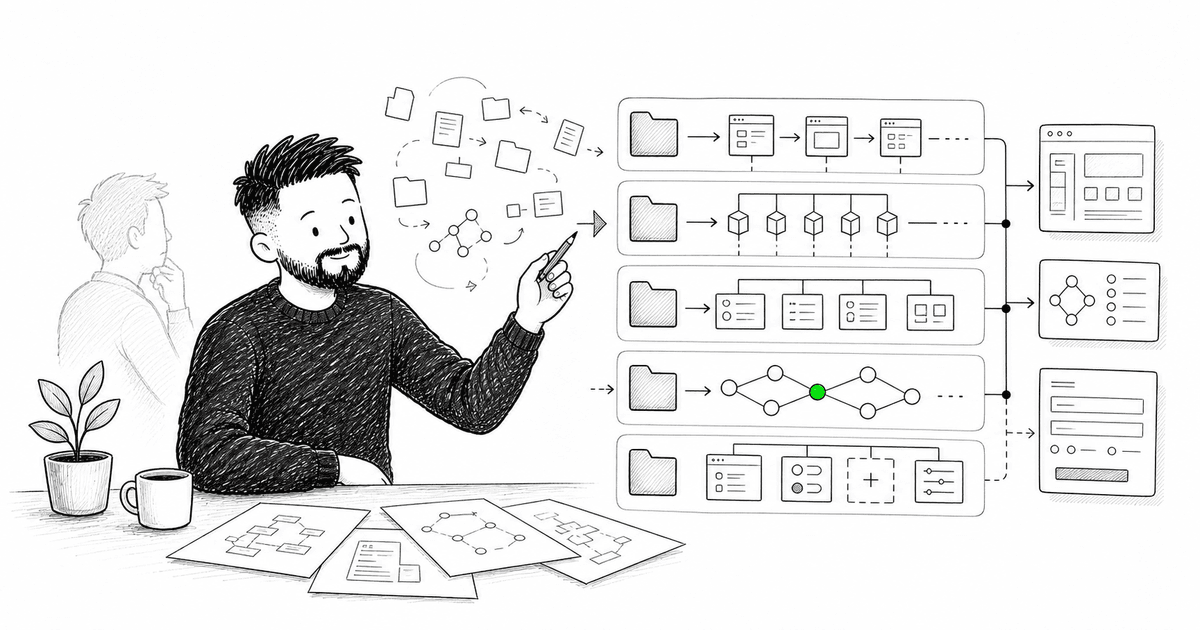
At the insurance company, our React app started with a structure I still like for small projects.
src/
  api/
  components/
  hooks/
  layouts/
  pages/
  types/
  router.ts
  main.tsx
For the first few months, it worked. A policy list page lived in pages/. Shared buttons lived in components/. Fetch functions lived in api/. Everyone understood where things went.
Then the policy builder arrived.
It was not a page anymore. It was a product inside the product: dynamic fields, conditional sections, autosave, permissions, validation, optimistic updates, draft recovery, and analytics. Suddenly one change touched pages/, api/, types/, hooks/, components/, and a couple of files nobody remembered creating.
I've seen this pattern across multiple teams. A flat structure doesn't fail all at once. It fails quietly. First you add one more shared hook. Then one more domain type. Then a generic component that is not generic at all, just shared too early. Six months later the folders are still clean, but every feature is smeared across the project.
That is usually the moment people reach for Feature-Sliced Design.
Honestly, I think that instinct is right. FSD gives React projects a language for scale: layers, slices, public APIs, dependency direction. But if you apply it mechanically, it creates a different problem. The code becomes "architecturally correct" and painful to work with.
This article is the version I actually use in production React apps. Not pure FSD. Not flat folders forever. A practical structure for TanStack Query, TanStack Router, TanStack Form, and the kind of domain logic that appears in real applications.
Architecture should make the next change easier to locate, not just easier to categorize.
Start Flat, Then Move When Pain Appears
I don't start every React app with full FSD.
For a new Vite + TanStack project, this is still a good beginning:
src/
  api/
    policies.ts
    query-keys.ts
  components/
    Button.tsx
    DataList.tsx
  layouts/
    RootLayout.tsx
  pages/
    PolicyListPage.tsx
    PolicyDetailPage.tsx
  types/
    policy.ts
  router.ts
  main.tsx
This structure is boring. Boring is good at the start.
The mistake is keeping it after the app stops being boring. You don't need FSD because the project has ten files. You need it when features become independent units of change.
The signal is not folder count. The signal is change pattern.
If every policy-related change touches five top-level folders, the structure is telling you something. If onboarding a developer requires explaining "policy things are in several places, you'll get used to it," the structure is telling you something. If a file is in shared/ because two components use it but both components belong to the same feature, the structure is telling you something.
At that point, I move to a sliced structure.
The Structure
The shape I use most often:
src/
  app/
    router.ts
    providers.tsx
    query-client.ts
  pages/
    policy-list/
      PolicyListPage.tsx
      route.ts
    policy-detail/
      PolicyDetailPage.tsx
      route.ts
  widgets/
    policy-search-panel/
    policy-summary-card/
  features/
    create-policy/
    edit-policy-status/
    assign-policy-owner/
  entities/
    policy/
      api/
      model/
      ui/
      lib/
      index.ts
    customer/
      api/
      model/
      ui/
      index.ts
  shared/
    api/
    config/
    lib/
    ui/
The names come from FSD, but the goal is not to worship the names. The goal is to separate code by responsibility and change frequency.
app/ is application wiring. Providers, router creation, query client configuration, global error boundaries. It should know how the app starts. It should not know how policy validation works.
pages/ are route-level screens. They compose widgets, features, and entities. They should be thin. If a page file becomes a business logic container, something probably belongs lower.
widgets/ are larger UI blocks made from several domain pieces. A search panel, a dashboard section, a header with account controls.
features/ are user actions. Create policy. Update status. Assign owner. Submit payment method.
entities/ are domain concepts. Policy. Customer. Beneficiary. Claim. This is where domain types, query keys, API functions, selectors, and reusable entity UI usually live.
shared/ is for things that are truly domain-agnostic: buttons, date formatting, HTTP client, environment config, tiny utilities.
The import direction matters:
app -> pages -> widgets -> features -> entities -> shared
Lower layers don't import higher layers. entities/policy should not import from features/create-policy. shared/ui/Button should not know a policy exists.
That one rule prevents a lot of architectural rot.
Where TanStack Query Goes
The most common question in this stack: where do query hooks live?
My default: query keys and fetch functions live in the entity. Feature-specific mutations live in the feature if they represent a user action.
src/
  entities/
    policy/
      api/
        policy.api.ts
        policy.queries.ts
      model/
        policy.types.ts
      index.ts
  features/
    edit-policy-status/
      api/
        edit-policy-status.mutation.ts
      ui/
        EditPolicyStatusButton.tsx
      index.ts
The entity owns the stable data contract:
// src/entities/policy/api/policy.queries.ts
import { queryOptions } from '@tanstack/react-query';
import { fetchPolicyById, fetchPolicies } from './policy.api';

export const policyKeys = {
  all: ['policies'] as const,
  lists: () => [...policyKeys.all, 'list'] as const,
  list: (filters: PolicyListFilters) => [...policyKeys.lists(), filters] as const,
  details: () => [...policyKeys.all, 'detail'] as const,
  detail: (policyId: string) => [...policyKeys.details(), policyId] as const,
};

export function policiesQueryOptions(filters: PolicyListFilters) {
  return queryOptions({
    queryKey: policyKeys.list(filters),
    queryFn: () => fetchPolicies(filters),
  });
}

export function policyDetailQueryOptions(policyId: string) {
  return queryOptions({
    queryKey: policyKeys.detail(policyId),
    queryFn: () => fetchPolicyById(policyId),
  });
}
The feature owns the action:
// src/features/edit-policy-status/api/edit-policy-status.mutation.ts
import { useMutation, useQueryClient } from '@tanstack/react-query';
import { policyKeys } from '@/entities/policy';
import { updatePolicyStatus } from './edit-policy-status.api';

export function useEditPolicyStatus() {
  const queryClient = useQueryClient();

  return useMutation({
    mutationFn: updatePolicyStatus,
    onSuccess: (_, variables) => {
      queryClient.invalidateQueries({ queryKey: policyKeys.detail(variables.policyId) });
      queryClient.invalidateQueries({ queryKey: policyKeys.lists() });
    },
  });
}
This keeps the split honest. Reading policy data is part of the policy entity. Editing a status is a user action, so it belongs to a feature.
Could you put all mutations inside entities/policy? Sometimes, yes. For simple CRUD apps it works. But once mutations include permissions, analytics, form state, toasts, optimistic updates, or workflow-specific behavior, I prefer feature ownership. The code changes with the feature, so it should live with the feature.
Where TanStack Router Goes
TanStack Router adds an interesting pressure: route definitions are code, and code wants to be near the page it renders.
For small apps, one src/router.ts is fine. For larger apps, I split route pieces by page and compose them in app/router.ts.
src/
  app/
    router.ts
  pages/
    policy-list/
      PolicyListPage.tsx
      policy-list.route.ts
    policy-detail/
      PolicyDetailPage.tsx
      policy-detail.route.ts
// src/pages/policy-detail/policy-detail.route.ts
import { createRoute } from '@tanstack/react-router';
import { rootRoute } from '@/app/root-route';
import { policyDetailQueryOptions } from '@/entities/policy';
import { PolicyDetailPage } from './PolicyDetailPage';

export const policyDetailRoute = createRoute({
  getParentRoute: () => rootRoute,
  path: '/policies/$policyId',
  loader: ({ context, params }) =>
    context.queryClient.ensureQueryData(policyDetailQueryOptions(params.policyId)),
  component: PolicyDetailPage,
});
The page route can import from entities because pages sit above entities. The entity must never import the route.
This also makes preloading natural. The route knows it needs a policy detail. The entity knows how to describe that query. TanStack Router and TanStack Query meet at the page boundary instead of leaking through the whole application.
Where TanStack Form Goes
Forms are where clean architecture usually goes to suffer.
A form is not just UI. It has schema, default values, validation, submission, dirty state, field components, and often domain-specific rules. If you split those across shared/forms/, entities/, features/, and pages/ too early, every form change becomes a small hunt.
My rule:
Put the form where the user action lives. Extract only the parts that are genuinely reused by another action.
For creating a policy:
src/
  features/
    create-policy/
      model/
        create-policy.schema.ts
        create-policy.types.ts
      api/
        create-policy.mutation.ts
      ui/
        CreatePolicyForm.tsx
        CoverageSection.tsx
        BeneficiariesSection.tsx
      index.ts
The feature owns the form because the form exists to perform the feature.
If CoverageSection later appears in three different policy workflows, then move it. Not before. Premature sharing is one of the fastest ways to make React code harder to change.
This is especially important with TanStack Form because field-level logic tends to be close to business rules:
// src/features/create-policy/ui/CreatePolicyForm.tsx
import { useForm } from '@tanstack/react-form';
import { createPolicySchema } from '../model/create-policy.schema';
import { useCreatePolicy } from '../api/create-policy.mutation';

export function CreatePolicyForm() {
  const createPolicy = useCreatePolicy();

  const form = useForm({
    defaultValues: {
      holderName: '',
      coverageType: 'standard',
      beneficiaries: [],
    },
    validators: {
      onSubmit: createPolicySchema,
    },
    onSubmit: ({ value }) => createPolicy.mutate(value),
  });

  return (
    <form
      onSubmit={(event) => {
        event.preventDefault();
        form.handleSubmit();
      }}
    >
      {/* fields */}
    </form>
  );
}
The schema, mutation, and UI are close because they change together. That is not messy. That is locality.
What Belongs in Shared
shared/ is the most abused folder in React architecture.
If a file feels "not specific enough," people put it in shared. Then shared becomes the new junk drawer: domain helpers, half-generic hooks, components with policy-specific props, validation rules from one workflow, and API helpers that know too much.
I use a stricter test.
A file belongs in shared/ only if it can be moved to a different product in the same company and still make sense.
Good candidates:
shared/
  api/
    http-client.ts
  config/
    env.ts
  lib/
    format-date.ts
    assert-never.ts
  ui/
    Button.tsx
    Dialog.tsx
    TextField.tsx
Bad candidates:
shared/
  hooks/
    usePolicyValidation.ts
  lib/
    calculateCoveragePremium.ts
  ui/
    PolicyStatusBadge.tsx
Those are not shared. They are policy code. Put them in entities/policy or in the feature that owns the workflow.
This one discipline keeps FSD useful. When shared stays small, the rest of the architecture stays readable.
Public APIs: The Boring Part That Matters
Every slice should expose a public API through index.ts.
src/entities/policy/index.ts
export type { Policy, PolicyDetail, PolicyStatus } from './model/policy.types';
export { policyKeys, policyDetailQueryOptions, policiesQueryOptions } from './api/policy.queries';
export { PolicyStatusBadge } from './ui/PolicyStatusBadge';
Then other layers import from the slice root:
import { PolicyStatusBadge, policyDetailQueryOptions } from '@/entities/policy';
Not from internal paths:
import { policyDetailQueryOptions } from '@/entities/policy/api/policy.queries';
The public API gives you a boundary. You can reorganize internals without updating imports across the whole app. It also forces a small moment of intent: is this thing actually meant to be used outside the slice?
That question catches more design mistakes than people expect.
The Rule I Break on Purpose
Pure FSD can become too granular for real feature work. I break one rule deliberately: I colocate deeply related feature files even when they could be classified into separate layers.
If CreatePolicyForm, createPolicySchema, createPolicyMutation, and CoverageSection always change together, I keep them in features/create-policy.
I don't move CoverageSection to widgets/ because it looks like a block.
I don't move createPolicySchema to entities/policy because it mentions policy fields.
I don't move a tiny helper to shared/lib because two files in the same feature use it.
This is not laziness. It is a design choice.
I've been in the room where a team spent twenty minutes arguing whether a file was a feature, an entity, or a widget. Different company, different stack, same argument. At some point, the question stops being architectural and starts being clerical.
When that happens, I ask a simpler question: what changes with this file?
If the answer is "this feature," it stays in the feature.
A Migration Path That Doesn't Hurt
You don't need to restructure the entire app in one PR.
Start with one domain that already hurts. In the insurance CRM, that would have been policies.
Before:
src/
  api/policies.ts
  components/PolicyStatusBadge.tsx
  hooks/usePolicyFilters.ts
  pages/PolicyListPage.tsx
  pages/PolicyDetailPage.tsx
  types/policy.ts
After:
src/
  entities/
    policy/
      api/
        policy.api.ts
        policy.queries.ts
      model/
        policy.types.ts
      ui/
        PolicyStatusBadge.tsx
      index.ts
  pages/
    policy-list/
      PolicyListPage.tsx
    policy-detail/
      PolicyDetailPage.tsx
Then move the next workflow into features/ when you touch it for real work.
Don't create empty folders for future architecture. Empty architecture is theater. Let structure follow actual code.
How I Know the Structure Is Working
Good structure has practical symptoms.
A new feature starts in one folder. A domain type is easy to find. Query invalidation is predictable. Shared stays boring. A page reads like composition instead of orchestration.
More importantly, changes have shape.
When a status-editing bug appears, you know to open features/edit-policy-status. When a policy response changes, you know to open entities/policy. When route preloading fails, you know to look at the page route.
That is the payoff. Not prettier folders. Faster orientation.
What Comes Next
The first three articles now give us the foundation:
- Article #1: the starting stack — Vite, TanStack Query, Router, Form, and the minimal setup
- Article #2: TypeScript patterns — typed API boundaries, query keys, route params, async state
- Article #3: this structure — how those pieces live together once the app grows
Article #4: error handling — Error Boundaries, TanStack Query error states, route-level failures, and what to show users when the happy path breaks.
That policy builder eventually became one of the busiest parts of the insurance CRM. The structure was not perfect. No structure is. But after we moved policy code into a domain slice and kept workflow-specific logic inside features, the app became easier to reason about.
Not because FSD solved architecture for us. Because it gave us enough structure to stop guessing, and enough flexibility to keep related code close.
That's the version I trust: architecture as a working agreement, not a folder ceremony.
If you're trying to move a React codebase from flat folders into something more deliberate, feel free to reach out. The hard part is rarely naming the folders. The hard part is deciding what should change together.
More than a blog post
I share frontend news and the reasoning behind it throughout the day. Pick the language that feels natural to you.